Example of MSSQL SERVER DATABASE + LogStash + Elastic Search
Step 1 :
I assume the MSSQL server database is installed.
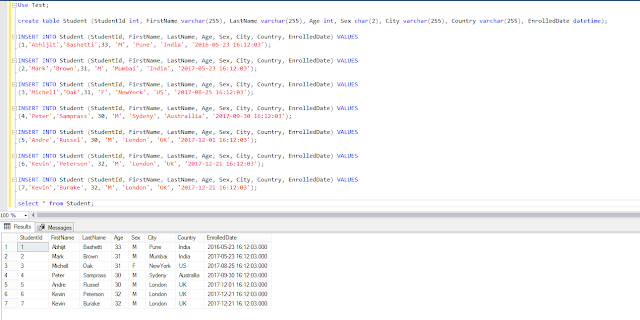
Let create a table and insert some data to it.
Use Test;
create table Student (StudentId int, FirstName varchar(255), LastName varchar(255), Age int, Sex char(2), City varchar(255), Country varchar(255), EnrolledDate datetime);
INSERT INTO Student (StudentId, FirstName, LastName, Age, Sex, City, Country, EnrolledDate) VALUES
(1,'Abhijit','Bashetti',33, 'M', 'Pune', 'India', '2016-05-23 16:12:03');
INSERT INTO Student (StudentId, FirstName, LastName, Age, Sex, City, Country, EnrolledDate) VALUES
(2,'Mark','Brown',31, 'M', 'Mumbai', 'India', '2017-05-23 16:12:03');
INSERT INTO Student (StudentId, FirstName, LastName, Age, Sex, City, Country, EnrolledDate) VALUES
(3,'Michell','Oak',31, 'F', 'NewYork', 'US', '2017-08-25 16:12:03');
INSERT INTO Student (StudentId, FirstName, LastName, Age, Sex, City, Country, EnrolledDate) VALUES
(4,'Peter','Samprass', 30, 'M', 'Sydeny', 'Australlia', '2017-09-30 16:12:03');
INSERT INTO Student (StudentId, FirstName, LastName, Age, Sex, City, Country, EnrolledDate) VALUES
(5,'Andre','Russel', 30, 'M', 'London', 'UK', '2017-12-01 16:12:03');
INSERT INTO Student (StudentId, FirstName, LastName, Age, Sex, City, Country, EnrolledDate) VALUES
(6,'Kevin','Peterson', 32, 'M', 'London', 'UK', '2017-12-21 16:12:03');
INSERT INTO Student (StudentId, FirstName, LastName, Age, Sex, City, Country, EnrolledDate) VALUES
(7,'Kevin','Burake', 32, 'M', 'London', 'UK', '2017-12-21 16:12:03');
select * from Student;
Step 2 :
Now Install the elastic search by downloading the same from https://www.elastic.co/downloads/elasticsearch
Go to the installed path like "C:\Program Files\Elastic\Elasticsearch\6.5.3\bin". and start the elastic search.

Step 3 :
Now Download the Logstash. https://www.elastic.co/downloads/logstash
Go to the path C:\logstash-6.5.4\logstash-6.5.4\config
Copy the logstash-sample.conf for the MSSQL DATABASE.
Rename it to logstashMSSQL_Test.conf.
Add below properties.
input {
jdbc {
# the full url string for the mssql server
jdbc_connection_string => "jdbc:sqlserver://localhost:1433;databaseName=test"
# The username and password to execute our statement as
jdbc_user => "sa"
jdbc_password => "sasa"
# The path to our downloaded mssql jdbc driver
jdbc_driver_library => "C:\Users\abhijitb\.m2\repository\com\microsoft\sqlserver\mssql-jdbc\6.2.2.jre8\mssql-jdbc-6.2.2.jre8.jar"
jdbc_driver_class => "com.microsoft.sqlserver.jdbc.SQLServerDriver"
# The required query
statement => "select * from Student"
}
}
output {
#stdout { codec => json_lines }
elasticsearch {
"hosts" => "localhost:9200"
"index" => "student"
"document_type" => "data"
}
}

Go the path C:\logstash-6.5.4\logstash-6.5.4\bin> on the command prompt.
run the below command "logstash -f logstashMSSQL_Test.conf"
C:\logstash-6.5.4\logstash-6.5.4\bin>logstash -f logstashMSSQL_Test.conf

Step 4 :
Its time to verify if the data is migrated to elasticsearch.
If you have windows git go to the path "C:\Program Files\Git\mingw64\bin>"
and execute the command curl -XPOST "localhost:9200/student/_search?pretty=true"
C:\Program Files\Git\mingw64\bin>curl -XPOST "localhost:9200/student/_search?pretty=true"

or go to the browser and type http://localhost:9200/student/_search?pretty=true

Step 1 :
I assume the MSSQL server database is installed.
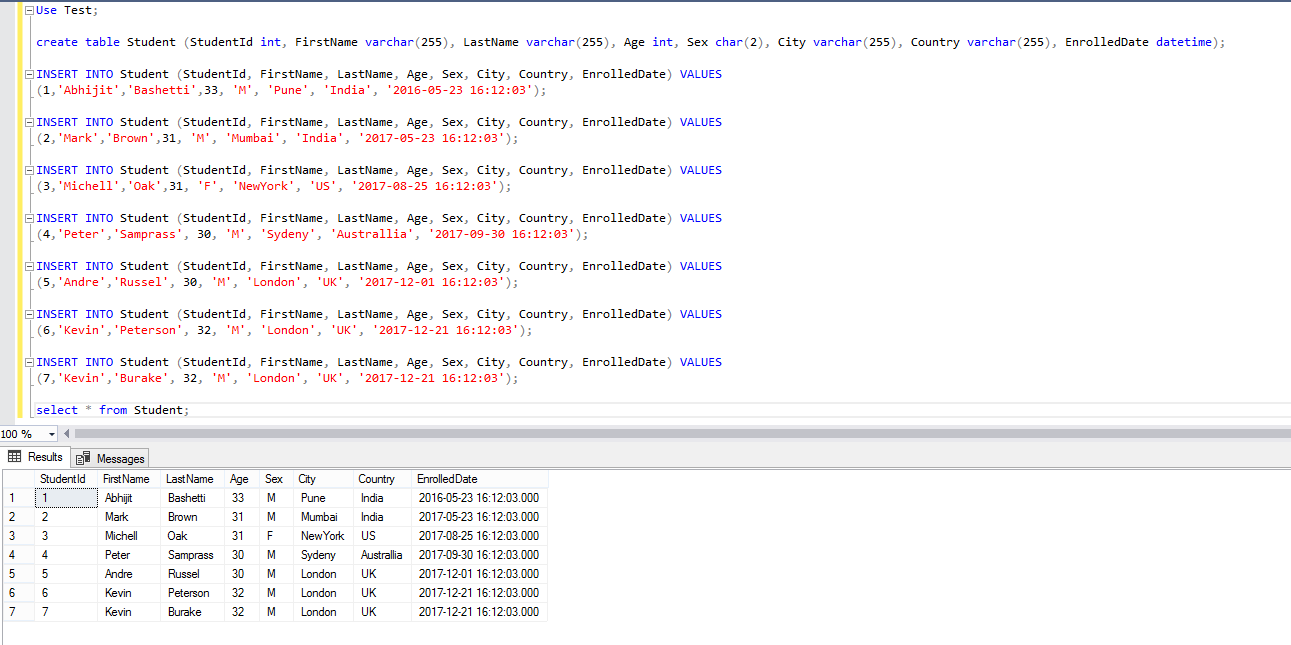
Let create a table and insert some data to it.
Use Test;
create table Student (StudentId int, FirstName varchar(255), LastName varchar(255), Age int, Sex char(2), City varchar(255), Country varchar(255), EnrolledDate datetime);
INSERT INTO Student (StudentId, FirstName, LastName, Age, Sex, City, Country, EnrolledDate) VALUES
(1,'Abhijit','Bashetti',33, 'M', 'Pune', 'India', '2016-05-23 16:12:03');
INSERT INTO Student (StudentId, FirstName, LastName, Age, Sex, City, Country, EnrolledDate) VALUES
(2,'Mark','Brown',31, 'M', 'Mumbai', 'India', '2017-05-23 16:12:03');
INSERT INTO Student (StudentId, FirstName, LastName, Age, Sex, City, Country, EnrolledDate) VALUES
(3,'Michell','Oak',31, 'F', 'NewYork', 'US', '2017-08-25 16:12:03');
INSERT INTO Student (StudentId, FirstName, LastName, Age, Sex, City, Country, EnrolledDate) VALUES
(4,'Peter','Samprass', 30, 'M', 'Sydeny', 'Australlia', '2017-09-30 16:12:03');
INSERT INTO Student (StudentId, FirstName, LastName, Age, Sex, City, Country, EnrolledDate) VALUES
(5,'Andre','Russel', 30, 'M', 'London', 'UK', '2017-12-01 16:12:03');
INSERT INTO Student (StudentId, FirstName, LastName, Age, Sex, City, Country, EnrolledDate) VALUES
(6,'Kevin','Peterson', 32, 'M', 'London', 'UK', '2017-12-21 16:12:03');
INSERT INTO Student (StudentId, FirstName, LastName, Age, Sex, City, Country, EnrolledDate) VALUES
(7,'Kevin','Burake', 32, 'M', 'London', 'UK', '2017-12-21 16:12:03');
select * from Student;
Step 2 :
Now Install the elastic search by downloading the same from https://www.elastic.co/downloads/elasticsearch
Go to the installed path like "C:\Program Files\Elastic\Elasticsearch\6.5.3\bin". and start the elastic search.

Step 3 :
Now Download the Logstash. https://www.elastic.co/downloads/logstash
Go to the path C:\logstash-6.5.4\logstash-6.5.4\config
Copy the logstash-sample.conf for the MSSQL DATABASE.
Rename it to logstashMSSQL_Test.conf.
Add below properties.
input {
jdbc {
# the full url string for the mssql server
jdbc_connection_string => "jdbc:sqlserver://localhost:1433;databaseName=test"
# The username and password to execute our statement as
jdbc_user => "sa"
jdbc_password => "sasa"
# The path to our downloaded mssql jdbc driver
jdbc_driver_library => "C:\Users\abhijitb\.m2\repository\com\microsoft\sqlserver\mssql-jdbc\6.2.2.jre8\mssql-jdbc-6.2.2.jre8.jar"
jdbc_driver_class => "com.microsoft.sqlserver.jdbc.SQLServerDriver"
# The required query
statement => "select * from Student"
}
}
output {
#stdout { codec => json_lines }
elasticsearch {
"hosts" => "localhost:9200"
"index" => "student"
"document_type" => "data"
}
}

Go the path C:\logstash-6.5.4\logstash-6.5.4\bin> on the command prompt.
run the below command "logstash -f logstashMSSQL_Test.conf"
C:\logstash-6.5.4\logstash-6.5.4\bin>logstash -f logstashMSSQL_Test.conf

Step 4 :
Its time to verify if the data is migrated to elasticsearch.
If you have windows git go to the path "C:\Program Files\Git\mingw64\bin>"
and execute the command curl -XPOST "localhost:9200/student/_search?pretty=true"
C:\Program Files\Git\mingw64\bin>curl -XPOST "localhost:9200/student/_search?pretty=true"
or go to the browser and type http://localhost:9200/student/_search?pretty=true
